Catch SAP BTP deployment mistakes before cf deploy: a checklist for CAP and Fiori MTA projects
Most failed SAP BTP deployments come from a short list of configuration mistakes in mta.yaml, package.json, xs-security.json and the Fiori app files, not from your code. Check the list below before cf deploy and you avoid the slow loop of build, deploy, read the log, fix, and deploy again. At the end I show how to run every check automatically in VS Code, SAP Business Application Studio or your pipeline.
Every example below comes from small sample projects with deliberate mistakes, which you can find in the Deploy Doctor repository, and the messages are real output of the checks.
1. The service module is bound to everything it needs
Each module lists its services under requires in mta.yaml. Three mistakes are common:
- The CAP service is not bound to XSUAA. Production auth is
xsuaa, but the module does not require the XSUAA resource. The app crashes at startup withAuthentication kind "xsuaa" configured, but no XSUAA instance bound to application. - A
requiresentry names something that does not exist, for examplebookshop-uaawhen the resource is calledbookshop-auth. Names are matched exactly. - The database deployer has no HDI container. The
hdbmodule must require thecom.sap.xs.hdi-containerresource, or it has nowhere to deploy to.
modules:
  - name: bookshop-srv
    type: nodejs
    path: gen/srv
    requires:
      - name: bookshop-db
      - name: bookshop-auth        # the XSUAA resource, spelled exactly as below
  - name: bookshop-db-deployer
    type: hdb
    path: gen/db
    requires:
      - name: bookshop-db          # the HDI container
resources:
  - name: bookshop-auth
    type: org.cloudfoundry.managed-service
    parameters:
      service: xsuaa
      service-plan: application    # both service and plan are required
      path: ./xs-security.json     # the file must exist
2. Runtime libraries are real dependencies
Cloud Foundry installs only dependencies from package.json, never devDependencies. Anything the app needs at runtime must be in dependencies:
- the database driver, such as
@cap-js/hana, when production uses HANA (otherwise:Cannot find module '@cap-js/hana') @sap/xssecwhen production auth isxsuaa@sap/cds-mtxsfor multitenant apps
Also pin the Node.js version with "engines": { "node": "^20 || ^22" }, matching your local version, so the buildpack does not switch versions under you.
3. The build works on a clean machine
The MTA build runs cds build --production. If it is written without npx, it only works where @sap/cds-dk is installed globally, and build machines and CI typically fail with cds: not found. Use:
build-parameters:
  before-all:
    - builder: custom
      commands:
        - npx cds build --production
and add @sap/cds-dk to devDependencies.
4. Memory fits the app
CAP Node.js services usually need at least 256M. Below that, instances are killed during start with Exited with status 137 (out of memory). At the other end, Cloud Foundry bills the memory you reserve, so a service that reserves 2G but uses 300M is paying for unused memory. Check real usage with cf app <name> and set memory accordingly.
5. Login works end to end
- The approuter is bound to XSUAA when routes in
xs-app.jsonuse"authenticationType": "xsuaa". - The destination to the CAP service forwards the token. Without
forwardAuthToken: true, the service receives no user token and answers 401 Unauthorized:
  - name: orders
    type: approuter.nodejs
    requires:
      - name: orders-auth
      - name: srv-api
        group: destinations
        properties:
          name: srv-api
          url: ~{srv-url}
forwardAuthToken: true- Every role in
@requiresand@restrictexists inxs-security.json, and references between scopes, role templates and role collections are spelled correctly. A wrong reference makes XSUAA reject the descriptor during deploy. A missing role makes users get 403 after deploy. The details are in Why your SAP CAP app returns 403 Forbidden after deploy.
6. Fiori apps can be found and served
For Fiori apps deployed to the HTML5 application repository:
- The artifact name in
mta.yamlmatches the zip the UI5 build creates (archiveNameinui5-deploy.yaml). After renaming an app, the MTA build fails because it cannot find the artifact. xs-app.jsonis in the zip. If it sits outsidewebapp, list it underadditionalFilesof theui5-task-zippertask.manifest.jsonhassap.cloud.service, matching the service name inmta.yaml, and"public": true. The managed approuter and SAP Build Work Zone use it to find the app. Without it, the app is not listed and cannot be added to a site. Work Zone also needs a navigation inbound insap.app.crossNavigation.- Routes use destinations that exist. Destination names are case-sensitive, so
srv_apidoes not findsrv-api. - The destination service has
HTML5Runtime_enabled: truein its config, or the managed approuter cannot serve the apps.
7. Multitenant apps are set up for subscriptions
- XSUAA uses
tenant-mode: shared, and the SaaS registry uses the samexsappname. - The MTX sidecar is bound to the Service Manager.
- The approuter has
TENANT_HOST_PATTERN, for example"^(.*)-${default-uri}", so requests from consumer subdomains reach the right tenant.
8. Credentials stay out of Git
default-env.json, .env and .cdsrc-private.json often hold service keys from cds bind or cf env. Add them to .gitignore. If one was already committed, rotate the credentials it contains.
Check all of this automatically
Checking this list by hand before every deploy is tedious, so I built Deploy Doctor for SAP BTP, a free and open-source extension for VS Code and SAP Business Application Studio. It runs every check above, and more, each time you save, and marks problems on the exact line of mta.yaml, package.json, xs-security.json, manifest.json, xs-app.json or ui5-deploy.yaml.
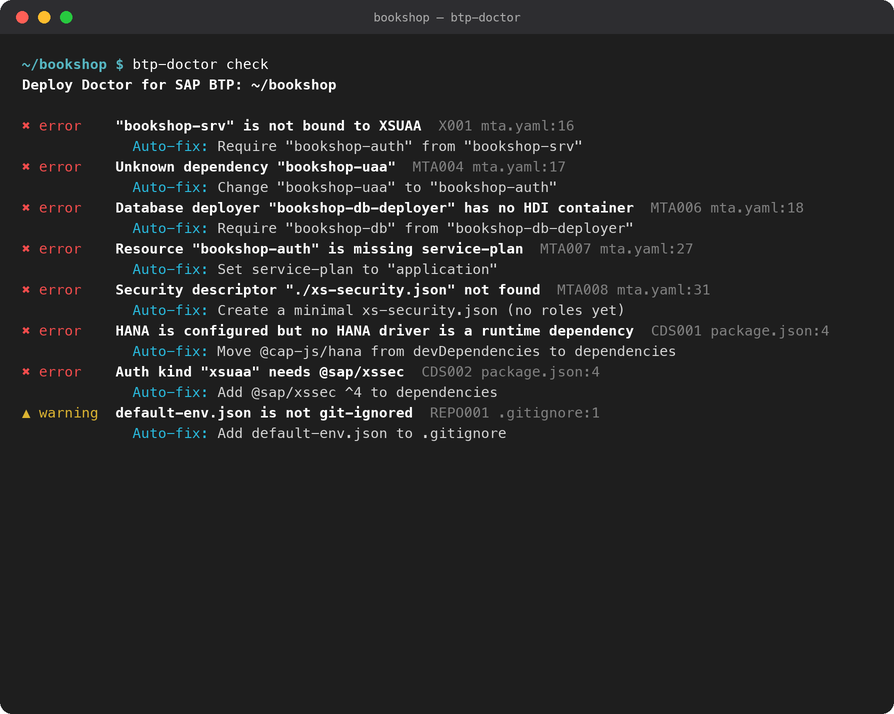
Most findings come with a fix. Click the lightbulb (or press Ctrl+. / Cmd+.) to apply one, or run Fix All for every fix that needs no decision. Fixes go through the editor, so Undo works, and they keep your formatting and comments. You can preview them first from the command line:
$ btp-doctor fix --dry-run examples/broken-bookshop
Would apply 11 fixes:

X001 Require "bookshop-auth" from "bookshop-srv"
    --- mta.yaml:18
    +       - name: bookshop-auth

MTA004 Change "bookshop-uaa" to "bookshop-auth"
    --- mta.yaml:17
    -       - name: bookshop-uaa
    +       - name: bookshop-auth
...
When a deploy has already failed
Deploy Doctor also explains failed deploy and app logs. Paste cf deploy output into the editor, or fetch cf logs <app> --recent or the log of an MTA deploy operation from the Command Palette, and it names the known cause and the fix for each failure. For example, from the sample project's log:
3. Module missing at runtime  line 8 · module-not-found
   > ERR Error: Cannot find module '@cap-js/hana'
   The deployed app requires "@cap-js/hana", which is not installed.
   Cloud Foundry only installs "dependencies", not "devDependencies".
   Fix: Move "@cap-js/hana" to dependencies in package.json, then rebuild
   (cds build copies package.json into gen/srv).
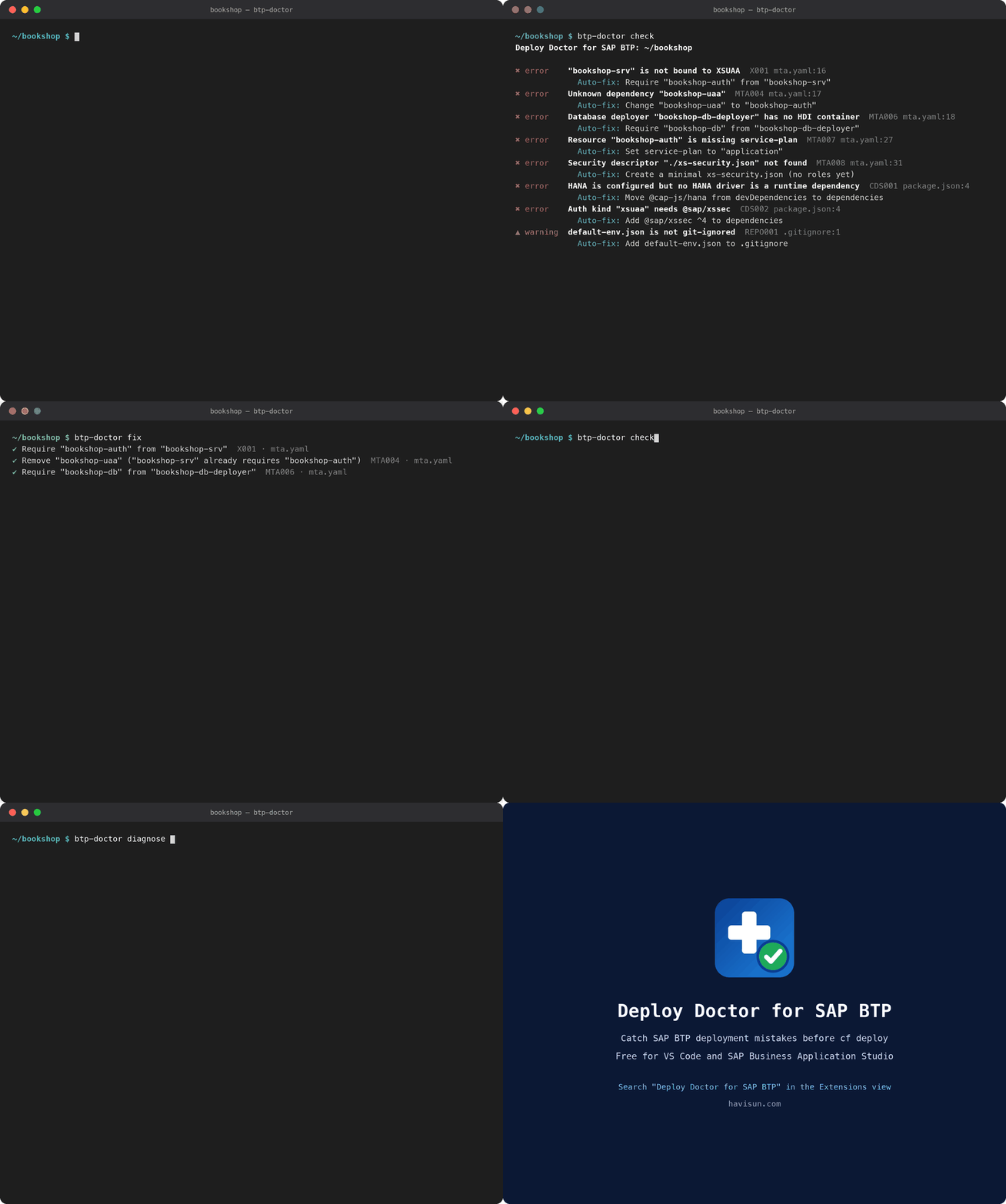
The whole flow, check, fix and explain, takes under 30 seconds:
In your pipeline
The same checks run as a command-line tool, btp-doctor check, which exits with code 1 when it finds errors, so a pipeline step can stop a broken deploy. It is in the GitHub repository (not yet published on npm). There is also an MCP server, so AI assistants such as Claude Code, GitHub Copilot and Cursor can run the checks and fixes for you.
Everything runs on your machine, with no telemetry. Only the log commands call your local Cloud Foundry CLI. Deploy Doctor covers CAP Node.js, Fiori apps in the HTML5 application repository and multitenant CAP apps. CAP Java and Kyma are not covered yet.
Key takeaways
- Most failed deploys come from configuration, not code: bindings, dependencies, names and paths.
- Anything needed at runtime must be in
dependencies. Cloud Foundry skipsdevDependencies. - Names in
mta.yaml,xs-app.jsonandxs-security.jsonare matched exactly, including case. - Fiori apps need matching artifact names, a packaged
xs-app.jsonandsap.cloud.serviceto be served. - Run the checks before
cf deploy, in the editor or the pipeline, instead of reading logs after it.